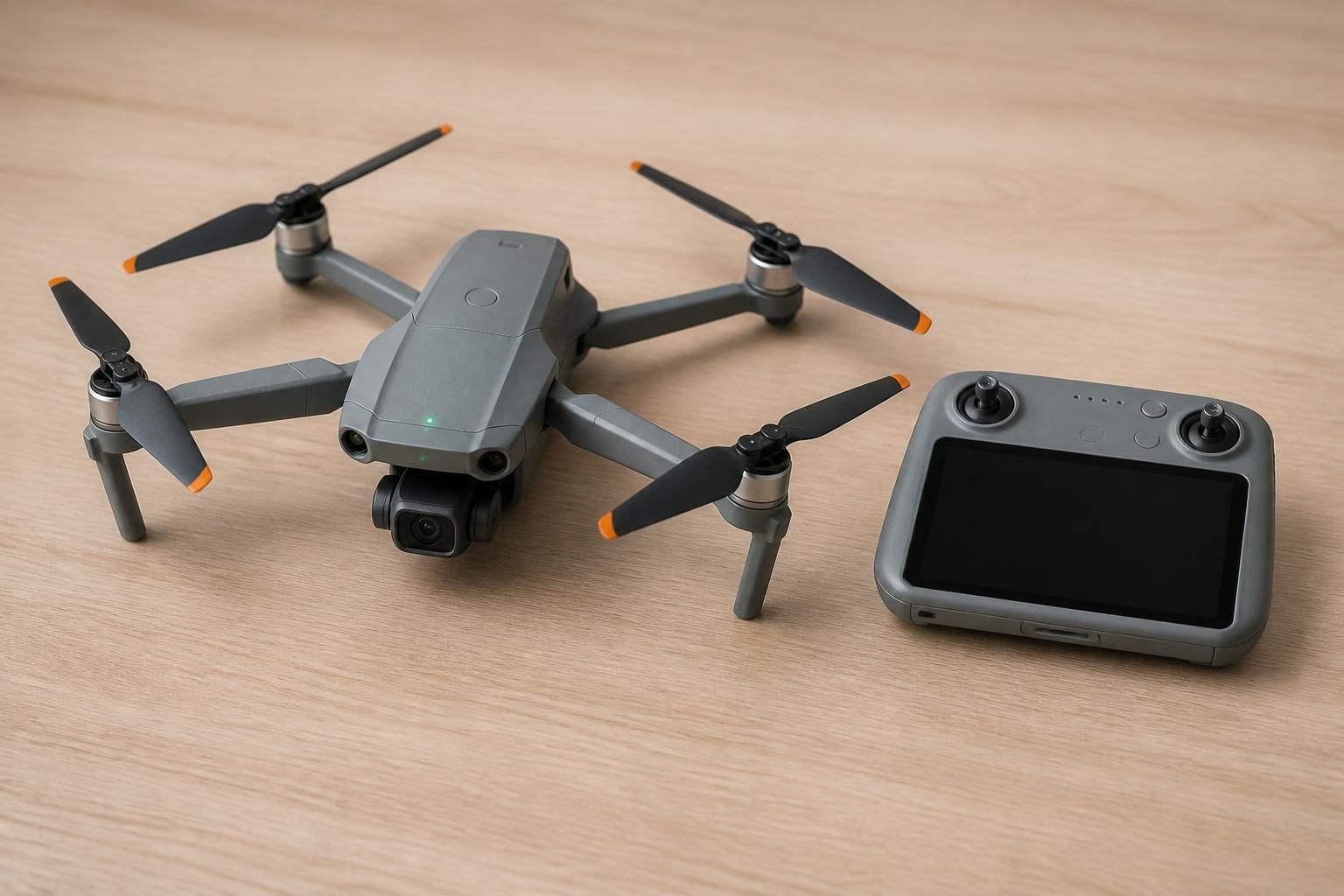
Houston Drone Repair handles firmware updates for consumer and commercial drones in Houston, Texas. That covers the aircraft, and where your model needs it, the controller, camera, gimbal, and battery software that has to match. If your drone is acting strangely after an update attempt, or the app says it cannot connect, call or send a request and we will start with a free diagnostic.
Maybe the update froze at 40 percent and the drone has not powered on normally since. Maybe the app keeps demanding a version your aircraft will not accept, or the gimbal shakes, the controller drops the link, or a battery warning will not clear. These problems often look like hardware failures but are really software mismatches. Sorting out which one you have before you buy parts saves money and flying time.
Signs You Need Help
Firmware trouble tends to show up in the first few minutes of powering on. Here are the patterns we see people describe most often.
Drone-side symptoms
- The drone will not finish booting, or restarts in a loop after an update.
- Firmware update fails repeatedly with an error message.
- Compass or sensor warnings appear on a drone that was fine last flight.
- The camera or gimbal does not initialize, or shows a version mismatch.
Controller and app symptoms
- The app cannot find the aircraft even though both are powered on.
- The controller and drone will not link, or the link drops during flight.
- The app insists you update, but the update stalls or reverts.
- Live video is missing, laggy, or stuck on a loading screen.
If any of these sound familiar, hold off on repeated update attempts. Each failed try can make the situation harder to untangle.
What We Cover
Our firmware update service is built around getting every component on your drone to a compatible, tested state. Depending on your model, that can include:
- Aircraft firmware updates
- Controller firmware and app compatibility checks
- Camera and gimbal software updates, paired with gimbal calibration when it is needed
- Battery firmware where your model supports it
- Recovery help for a drone that stalled partway through an update
- A final test so you get the drone back ready to fly
We work on both consumer and commercial models. If you are not sure what version your drone is running, bring it in or let us pick it up and we will check during the diagnostic.
Update or Repair?
Many people assume a drone that will not connect or calibrate has a broken part. Sometimes that is true, and sometimes it is software. The two are different jobs.
A firmware update changes the software inside the aircraft, controller, camera, or battery. A repair replaces or fixes physical parts, such as a damaged motor, a cracked arm, or a failed camera module. This page covers firmware updates. If our diagnostic shows a hardware fault underneath the software symptoms, that falls under our drone repair or parts replacement services, and we will explain it in your quote before any work begins.
How the Process Works
- Free diagnostic. We look at the symptoms, check current software versions, and see whether the problem is software, hardware, or both.
- Pickup or drop-off. We offer free pickup and delivery throughout Greater Houston. You can also bring the drone in or ship it from elsewhere in Texas.
- Detailed quote. You get a clear estimate before work starts, so you know what is being done and what it costs.
- Update and repair work. A technician performs the update and addresses anything that blocks it from completing.
- Final testing. The drone is tested before it is returned, so you get it back ready to fly.
Houston Flying Conditions
Houston summers are hot and humid, and most drones here spend time in garages, trunks, or truck beds that get very warm. Heat and moisture are hard on batteries and electronics, and a battery that is struggling can interrupt an update midway. Firmware problems and hardware wear often overlap, which is one reason a diagnostic first is a sensible move.
Many local pilots also fly around spring storms and long stretches of mild weather, which means drones sit unused for weeks and then get updated all at once. Skipping several versions can create compatibility surprises between the aircraft, controller, and app. If your drone has been on a shelf for a while, have it checked before the day you actually need it.
Doing It Well
Whoever you choose, these are fair standards for judging a firmware update job:
- Check before changing. The provider should note the current versions of the aircraft, controller, and app before touching anything.
- Use a stable power source. Updates should run on a battery with enough charge, since a power drop mid-update is a common cause of failures.
- Update components as a set. The aircraft, controller, camera, and gimbal need to be compatible with each other, not just individually current.
- Test afterward. The job is not done at "update complete." Sensors, link, camera, and gimbal should all be checked.
- Explain what changed. You should be able to find out which versions your drone is on when it comes back.
What Affects Cost
Firmware work ranges from a quick update to recovering a drone that will not start, so the price depends on what the diagnostic finds. The main factors are:
- How many components need updating: aircraft only, or controller, camera, gimbal, and battery too
- Whether the drone is working normally or stuck after a failed update
- Whether a hardware problem is blocking the update
- Your drone model and how involved its update process is
- Whether calibration is needed after the update
- Whether you want pickup and delivery or will bring the drone in
A clear written quote should spell out the scope of work, which components are included, any extras such as calibration or parts, and how changes are handled if the technician finds something new. With us, the estimate comes after the free diagnostic, so you know the cost before work starts.
Questions to Ask First
Before handing your drone to anyone in the Houston area, ask these:
- What exactly is included? Ask whether the price covers the aircraft only or the controller, camera, and gimbal as well.
- Will you check versions before and after? You want a record of what your drone was running and what it runs now.
- What happens if the update fails? A good provider has a plan for recovery and can explain who pays for what.
- Do you test the drone before returning it? Ask what the testing covers.
- How will you keep me updated? Find out how they communicate about quotes, delays, and changes in scope.
- Is there a diagnostic fee? Some shops charge for it, so confirm up front.
Common Questions
How often should I update my drone's firmware?
There is no single schedule. Most pilots update when the manufacturer releases a version that fixes a bug, adds compatibility, or is required by the app. If your drone has been unused for a while, it is smart to check versions before your next flight rather than on the day you need it.
Can a firmware update fix a drone that will not connect to its controller?
Sometimes. Link failures can come from mismatched software, but they can also come from damaged antennas, a worn controller, or interference. A diagnostic separates the cause so you do not pay for the wrong fix.
My update stopped partway through. Is my drone ruined?
Usually not. A stalled update often leaves a drone stuck in a boot loop or error state, which can often be recovered. The key is to stop retrying and bring it in, since repeated attempts can complicate recovery.
How long does a firmware update take?
A routine update on a healthy drone is usually short. Recovery work, multi-component updates, and follow-up calibration take longer. After the diagnostic we can tell you what your drone needs.
How is the price for a firmware update worked out?
It depends on the number of components being updated, the condition of the drone, whether hardware problems are involved, and whether calibration is needed. We give a detailed quote after the free diagnostic, before any work starts.
Do I need to bring in the controller too?
Often yes. The controller and the app have to match the aircraft's software, so having them together helps us test the full setup. If you are not sure, ask when you request pickup and we will tell you what to include.