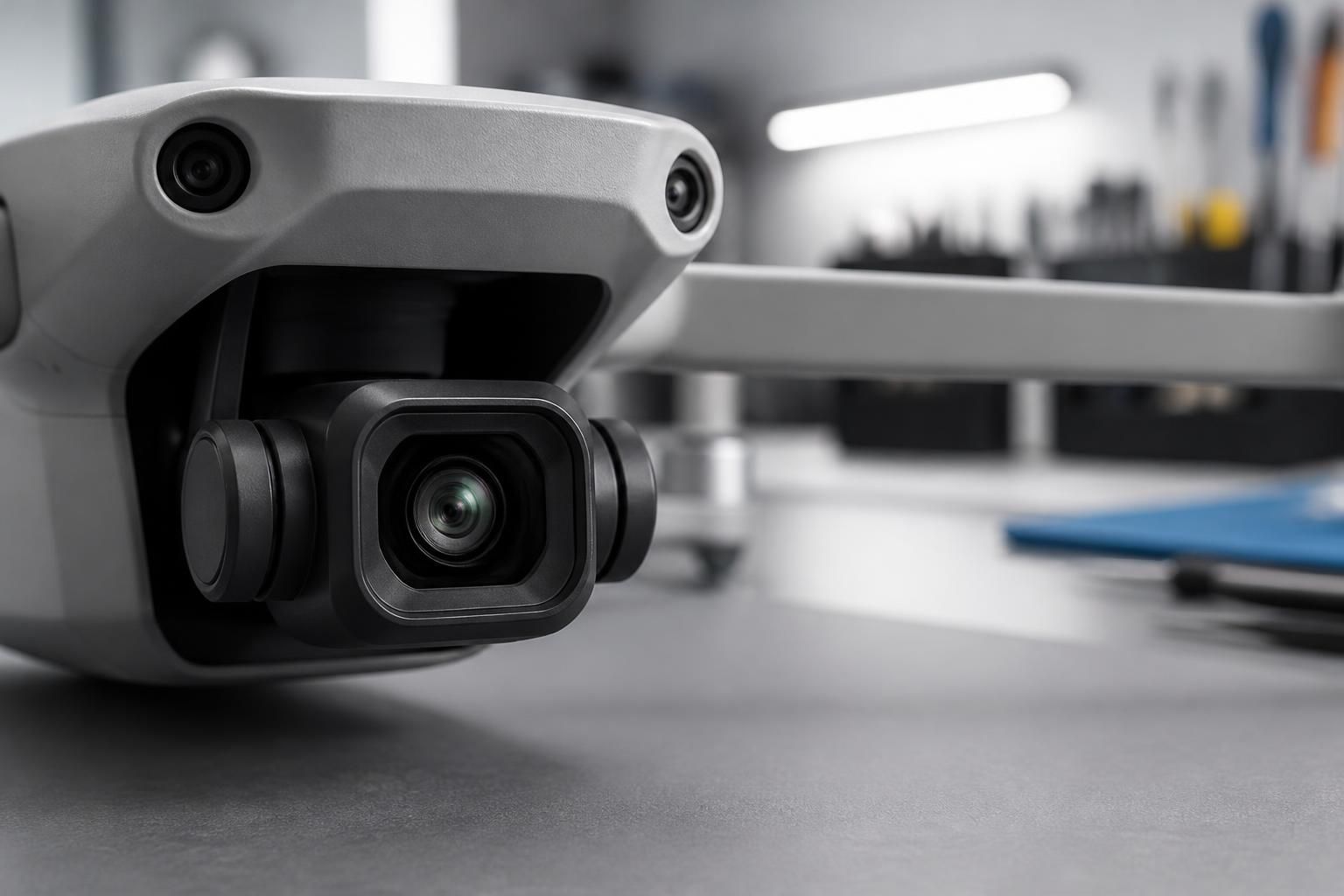
Houston Drone Repair handles drone camera repair in Houston, Texas for consumer and commercial models, including lens damage, dead or flickering video feeds, gimbal faults, and footage that no longer looks right. Start with a free diagnostic by calling or sending a request, and we can pick up your drone anywhere in Greater Houston or take it by shipping or drop-off.
Maybe the live view cut out mid-flight, or the footage looks soft and smeared. Maybe the camera tilts on its own, makes a grinding sound at startup, or shows an error after a rough landing. Before you buy a new drone or fly it again and risk more damage, get someone to find out what actually failed. Camera trouble often comes from a small cause such as a loose ribbon cable, a scratched lens, or a software glitch, and a diagnostic tells you which.
Camera problems we repair
A drone camera is a small system made of the lens, the sensor, the gimbal that steadies it, the cables that carry the signal, and the firmware that ties it together. When one part is off, the whole picture suffers. These are the symptoms customers bring us most:
- Blurry or soft footage that does not sharpen, even after cleaning the lens
- Cracked, scratched, or fogged lens after a crash, a hard landing, or humid conditions
- Black screen or no live feed in the app, or video that flickers and drops out
- Gimbal drift, jitter, or a camera that sits crooked in the frame
- Gimbal error messages at startup, often with a clicking or buzzing sound
- Horizon tilt or footage that looks warped after a bump
- Camera not recognized or not saving photos and video
If you are not sure which of these matches your drone, describe what you see. The diagnostic sorts it out.
Camera or gimbal?
Many owners are not sure whether the problem is the camera, the gimbal, or a software setting. They are related but not the same job.
Camera repair covers the lens, the sensor module, the connections, and any damaged camera parts. Gimbal calibration and drone camera calibration are listed services of their own: they re-align and re-level the camera system so footage is steady and square. Sometimes a camera simply needs calibration after a minor knock. Other times a physical part is damaged and calibration alone will not hold. Firmware updates can also clear up feed or recognition problems on some models.
This page covers repairing the camera itself. If your diagnostic points toward calibration or a firmware update, we will explain that and quote it separately, so you only pay for what the drone needs.
How the repair works
The process is simple and you see the price before any repair starts.
- Free diagnostic. We look at the camera, gimbal, cables, and software to find the real cause of the problem.
- Pickup, drop-off, or shipping. We offer free pickup and delivery throughout Greater Houston. You can also bring the drone in or ship it, including from elsewhere in Texas.
- Detailed quote. You get a written estimate covering what is wrong and what it takes to fix it.
- Repair. Our certified technicians carry out the work, which may include replacing a lens, camera module, or other part, or calibrating the system.
- Final testing. The camera is checked before the drone comes back, so it returns ready to fly.
Houston flying conditions
Houston's climate is typically hot and humid, and summer storms can roll in quickly. Moisture can fog a lens or creep into connections, and heat can be hard on small electronics during long shoots. Hard landings on concrete, gravel, or uneven ground are also a common source of lens scratches and gimbal damage. None of this means your drone will fail, but if the camera acts up after a damp day or a bump, stop flying and have it looked at before a small fault becomes a bigger one.
We serve Houston, The Woodlands, and nearby areas, and we also take devices shipped from elsewhere in Texas.
What affects cost
Camera repair costs vary because the cause can range from a quick calibration to a part replacement. Here is what typically shapes a quote:
- Which part failed: lens, sensor module, gimbal parts, cables, or software
- Drone model: consumer and commercial models use different camera assemblies
- Extent of damage: a single scratched lens is different from a crash that also bent the gimbal or arm
- Part availability: some components are easy to source and some take longer
- Related work: calibration or a firmware update after the repair
A clear written quote should spell out the diagnosis, the parts and labor involved, any extras, and how changes are handled if the technician finds something new once the drone is open. With us, the free diagnostic comes first and you know the cost before work begins.
Signs of a job done well
Whoever repairs your drone, hold the work to these standards:
- The provider finds and explains the cause instead of just swapping parts and hoping.
- The camera is tested after the repair, including live feed, photo and video capture, and gimbal movement through its full range.
- The footage looks sharp and the horizon sits level, not just a screen that turns on.
- Any replaced parts and calibration steps are described to you in plain language.
- The drone comes back clean and ready to fly, with the repair details in writing.
Questions to ask first
Before you hand your drone to any repair provider in the Houston area, ask:
- What is included in the diagnostic? Find out whether it is free and whether you get a written quote afterward.
- Do you work on my drone model? Consumer and commercial drones differ, so confirm before you hand it over.
- Will you tell me before doing extra work? Ask how changes to the quote are handled.
- How will the drone get to you and back? Ask about pickup, drop-off, and shipping options and who is responsible in transit.
- How do you test the camera after repair? A good answer covers the feed, footage, and gimbal.
- What happens if the problem returns? Ask for any repair coverage in writing.
Common questions
How do I know if my drone camera needs repair or just calibration?
If the picture is sharp but the horizon is tilted or the gimbal drifts, calibration may be enough. If the lens is cracked, the feed drops out, or you hear grinding, a part is likely damaged. A diagnostic confirms which.
Can a scratched lens be fixed?
Often, yes. A scratched or cracked lens can usually be replaced, but the right fix depends on your model and whether the sensor or gimbal was affected by the same impact.
How is the price for a camera repair worked out?
It depends on which part failed, your drone model, how far the damage goes, part availability, and whether calibration or a firmware update is needed afterward. You get a detailed quote after the free diagnostic.
Do I need to bring my drone in?
No. We offer free pickup and delivery throughout Greater Houston. You can also drop it off or ship it, including from other parts of Texas.
Should I keep flying if the footage looks slightly off?
It is safer to stop. A drifting gimbal or loose camera part can get worse, and it can strain other parts. Have it checked before the next flight.
How often should I have my drone camera looked at?
There is no fixed schedule. Get it checked after a crash, a hard landing, exposure to moisture, or any change in footage quality. Maintenance checkups are also available if you want a general look at your drone.
Start your camera repair
Tell us what the camera is doing, which drone you fly, and where you are in Greater Houston. Call or send a request, and we will set up the free diagnostic so you know exactly what is wrong before you decide on anything.